> ## Documentation Index
> Fetch the complete documentation index at: https://smartcar.com/docs/llms.txt
> Use this file to discover all available pages before exploring further.
# Dynamic Webhooks (Deprecated)
> Dynamic webhooks make it incredibly easy to receive data from a vehicle at the optimal frequency supported by the OEM. Specifically, once a certain condition is met, you will be able to receive data more frequently from the vehicle to stay up-to-date with the state of the vehicle when it matters most to you.
**This webhook type is deprecated.** Dynamic webhooks are no longer available for new integrations. See the [Webhooks Overview](/integrations/webhooks/overview) for the current approach to receiving vehicle data via webhooks.
## Prerequisites
For this tutorial it is recommended to have the following in place:
* To receive webhooks you’ll need to set up a callback URI on your server.
* To [**subscribe**](https://smartcar.com/docs/api-reference/webhooks/subscribe-webhook) a vehicle you’ll want to have [**Connect**](https://smartcar.com/docs/connect/dashboard-config) integrated into your application.
## Setting up a Dynamic Webhook
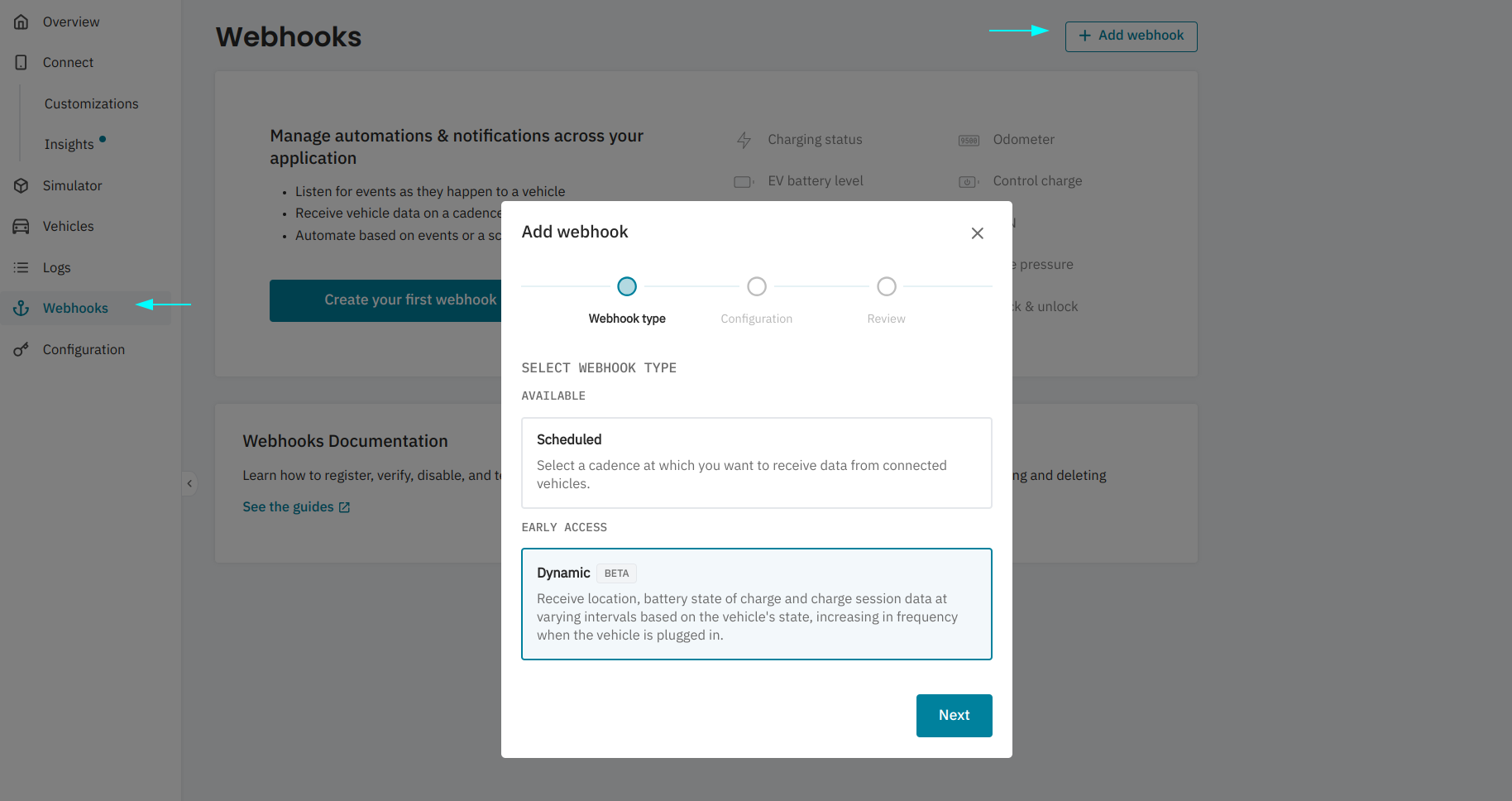
Navigate to **Webhooks** from the Smartcar Dashboard, select **+ Add webhook** and select **Dynamic** from the Webhooks config wizard.
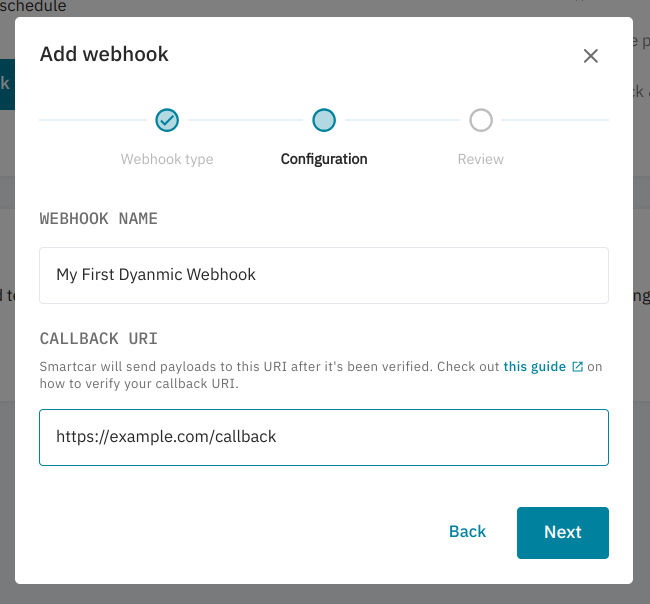
 Name your webhook and specify a `callback URI`. Your `callback URI` is where Smartcar will send payloads from vehicles connected to your webhook. Click **Next**.
 Confirm everything looks good and hit **Add**.
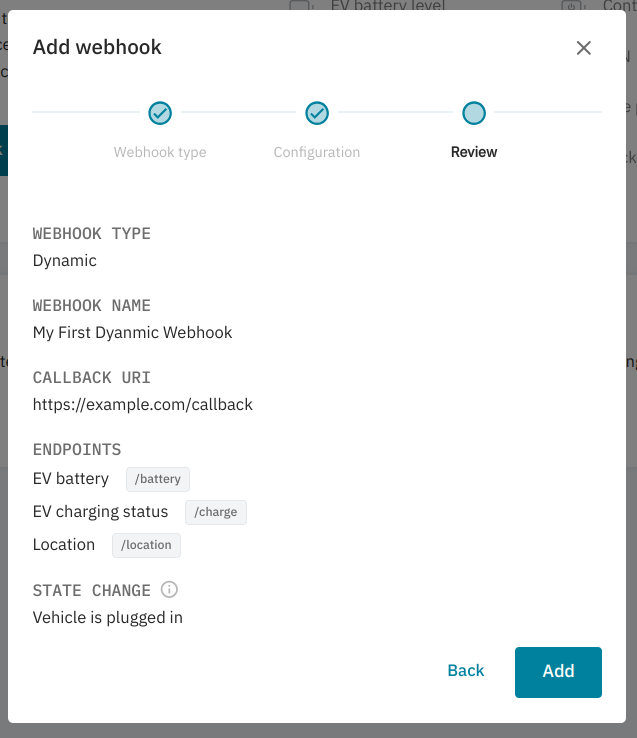
Currently Dynamic Webhooks only support returning data from the
[location](/api-reference/get-location),
[charge](/api-reference/evs/get-charge-status), and
[battery](/api-reference/evs/get-battery-level) endpoints. Changes in data frequency
are only supported based on the plugged in state for EVs.
After adding your webhook, you’ll need to verify your callback URI. This is to ensure Smartcar is sending data to the correct place!
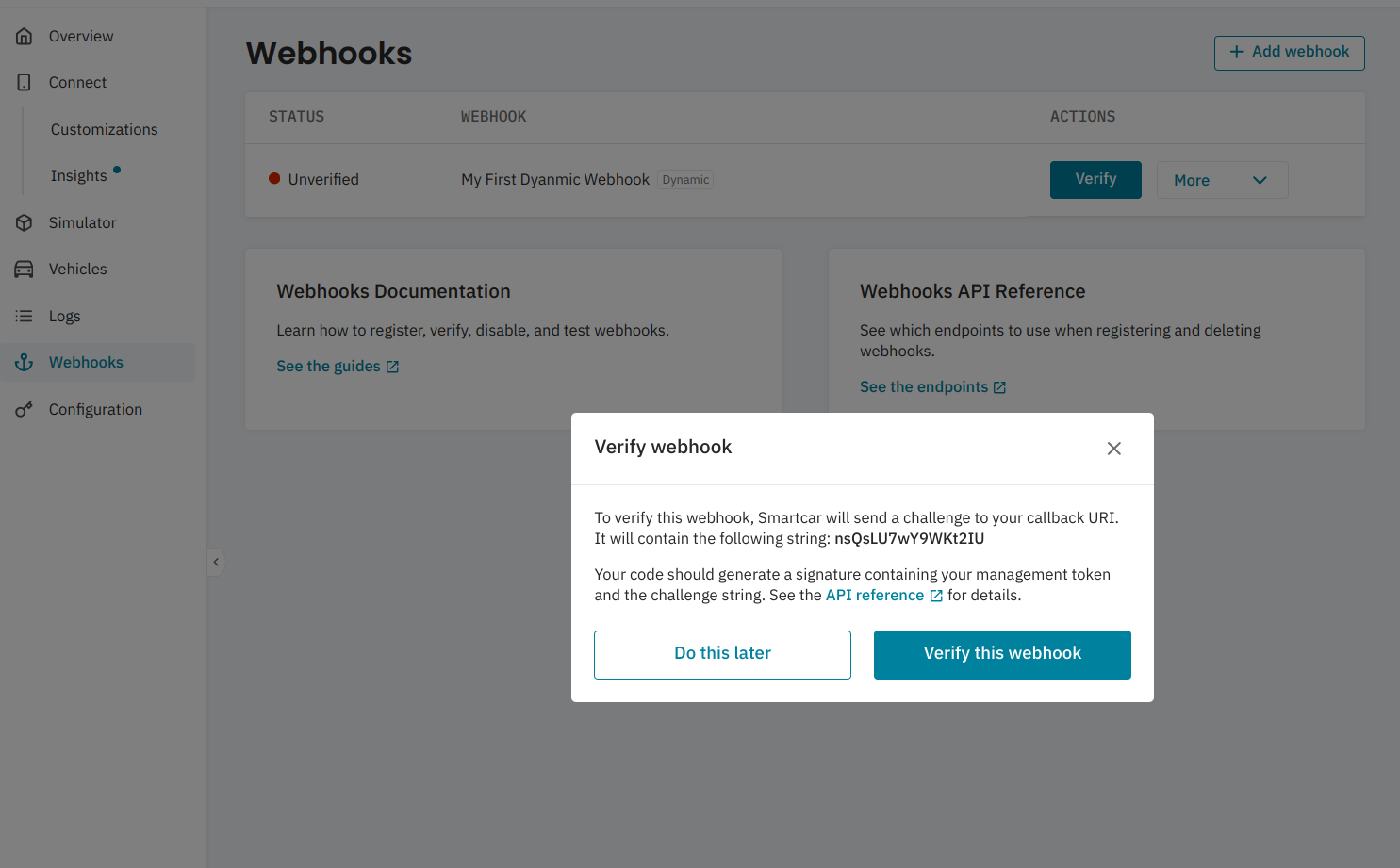 Please see our API reference on how to [verify a webhook](/integrations/webhooks/callback-verification), or **Part II** on [this blog post](https://smartcar.com/blog/how-to-use-scheduled-webhooks#-part-ii-verify-webhook) for a more in depth guide.
## Subscribing vehicles to a webhook
Now you’ve got your webhook set up, you can subscribe vehicles to start getting data. If you haven’t done so already, please set up [Connect](http://localhost:3000/connect/dashboard-config) for your application.
After going through Connect and receiving your initial `access_token`, you’ll first want to hit the [All Vehicles](/api-reference/all-vehicles) endpoint to fetch the Smartcar `vehicle_ids` of the authorized vehicles.
Please see our API reference on how to [verify a webhook](/integrations/webhooks/callback-verification), or **Part II** on [this blog post](https://smartcar.com/blog/how-to-use-scheduled-webhooks#-part-ii-verify-webhook) for a more in depth guide.
## Subscribing vehicles to a webhook
Now you’ve got your webhook set up, you can subscribe vehicles to start getting data. If you haven’t done so already, please set up [Connect](http://localhost:3000/connect/dashboard-config) for your application.
After going through Connect and receiving your initial `access_token`, you’ll first want to hit the [All Vehicles](/api-reference/all-vehicles) endpoint to fetch the Smartcar `vehicle_ids` of the authorized vehicles.
With your `access_token` and `webhook_id` you can hit the [Subscribe](/api-reference/webhooks/subscribe-webhook) endpoint for each `vehicle_id` to start receiving data.
## Example payload
```json dynamicWebhook.json theme={null}
{
"version": "2.0",
"webhookId": "865ca68d-a9b6-4d74-856e-605db0209eca",
"eventName": "dynamic",
"mode": "live",
"payload": {
"vehicles": [
{
"vehicleId": "00000000-0000-4000-A000-000000000000",
"requestId": "25d743b8-14cf-4744-b067-bd8d7daf3f1a",
"data": [
{
"path": "/battery",
"code": 200,
"body": {
"range": 283.244544,
"percentRemaining": 0.58
},
"headers": {
"sc-data-age": "2024-09-20T21:58:06.000Z"
}
},
{
"path": "/charge",
"code": 200,
"body": {
"isPluggedIn": false,
"state": "NOT_CHARGING"
},
"headers": {
"sc-data-age": "2024-09-20T21:58:06.000Z"
}
},
{
"path": "/location",
"code": 200,
"body": {
"latitude": 37.4292,
"longitude": 122.1381,
},
"headers": {
"sc-data-age": "2024-09-20T21:58:48.000Z"
}
}
]
}
]
}
}
```
## FAQs
By default Smartcar will deliver data every hour from the time a vehicle is subscribed. From that point on, once we detect the relevant state changes we'll increase this to every 30 minutes, dropping back down to hourly once the state returns to what it was.
Where more frequent data delivery is supported by an OEM, Smartcar will deliver data at those speeds. Please reach out to your Solutions Architect for more information.
Yes! You can distinguish between webhook types based on the `eventName` field. Dynamic Webhooks will have `eventName` set to `dynamic`.
Smartcar will attempt to resend payloads with an exponential backoff. Once your server is back online you'll continue to receive data from the vehicles.
* Once a webhook is configured and a vehicle is subscribed, we'll begin sending data to your Callback URI.
We’ll expect a 2xx response to each. In the event that we don’t receive a 2xx response, we’ll retry 6 times with exponential backoff.
**If we continue not to receive a successful response, we’ll automatically disable your webhook.**
* If you haven't made any major changes to your callback URI, commonly our request payload may have hit the request size limit for you server.
Smartcar will attempt to get data from the vehicle with retries. However if we are unable to we'll return the relevant error response in the payload for that vehicle.
For example, if a vehicle owner changes the credentials to their connected services account we'll return a [CONNECT\_SERVICES\_ACCOUNT:AUTHENTICATION\_FAILED](/errors/api-errors/connected-services-account-errors#authentication-failed) error prompting you to have the vehicle owner go through Connect again to reauthenticate their vehicle.
To unsubscribe a vehicle you can hit the [unsubscribe](/api-reference/webhooks/unsubscribe-webhook) endpoint or [disconnect](/api-reference/remove-connection) the vehicle from your application.