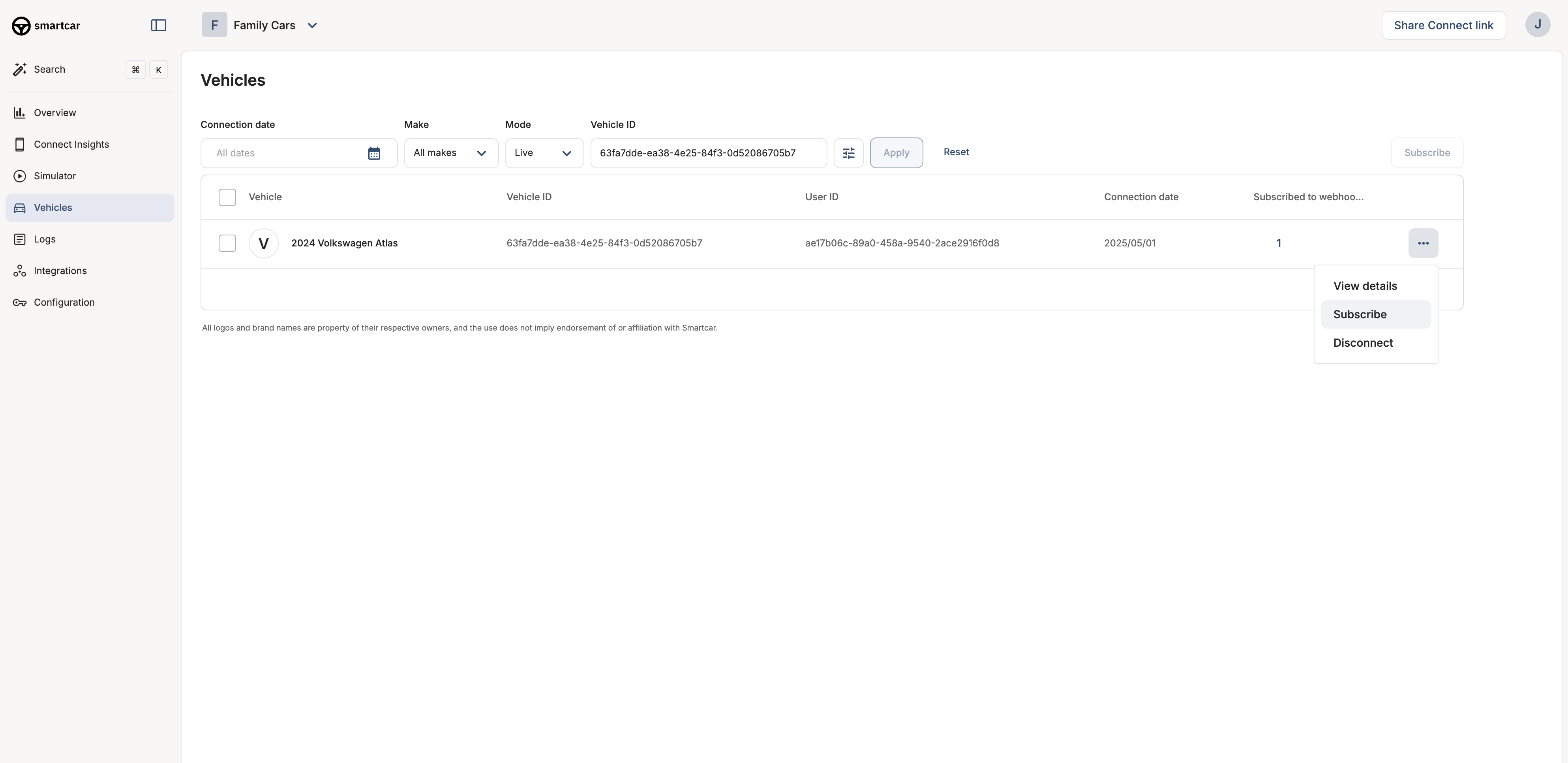
Learn how to subscribe and unsubscribe vehicles to webhooks using auto-enrollment, the Dashboard, or the API
Once you’ve created a webhook, you need to subscribe vehicles to it before they’ll start receiving data. Smartcar offers three methods to manage vehicle subscriptions: automatic enrollment, Dashboard management, and programmatic API control.
Data will only be sent after your webhook has been verified. See Callback Verification for details.
Method 1: Auto-Enrollment (Recommended for Production)
The simplest way to manage subscriptions is to enable auto-enrollment when creating your webhook. This automatically subscribes all vehicles connected to your application.
All vehicles will be subscribed immediately. When you enable auto-enrollment, all currently connected vehicles will be subscribed to the webhook right away. Only enable this feature when you’re ready to receive data for all vehicles in your application.
Yes! You can enable auto-enrollment for most vehicles and use the API or Dashboard for exceptions. However, be aware that auto-enrollment will automatically subscribe new vehicles.
What happens if I unsubscribe a vehicle?
The vehicle immediately stops receiving webhook deliveries. You can re-subscribe at any time, and a new first payload will be sent.
How do I know which vehicles are subscribed?
You can view all vehicle subscriptions in the Dashboard or use the Connections API to programmatically list connections.
Is there a limit to how many vehicles I can subscribe?
No, you can subscribe as many vehicles as are connected to your application. Webhooks scale automatically to handle your fleet size.
Do I need different webhooks for different vehicle types?
Not necessarily. You can use one webhook for all vehicles and handle signal availability differences using the VEHICLE_ERROR events for unsupported signals.